Part 2: Chat with the Agent + Tools That Act
What you'll have at the end of this part: a working understanding of the three pieces behind "tell the AI to assign Ben, watch the board change": the agent node, its tool functions, and the token accounting that makes it operable.
Log in to the frontend (Part 3), or use the admin console's Test Chat, as planner@example.com and try:
Assign Ben to the Saturday evening shift, please.
The agent calls assign-shift, the node /shifts/sat-evening flips to status: filled, assignee: Ben, and in Part 3 you will see the board card update live.
 The demo login. An SSR form post, no client JavaScript required.
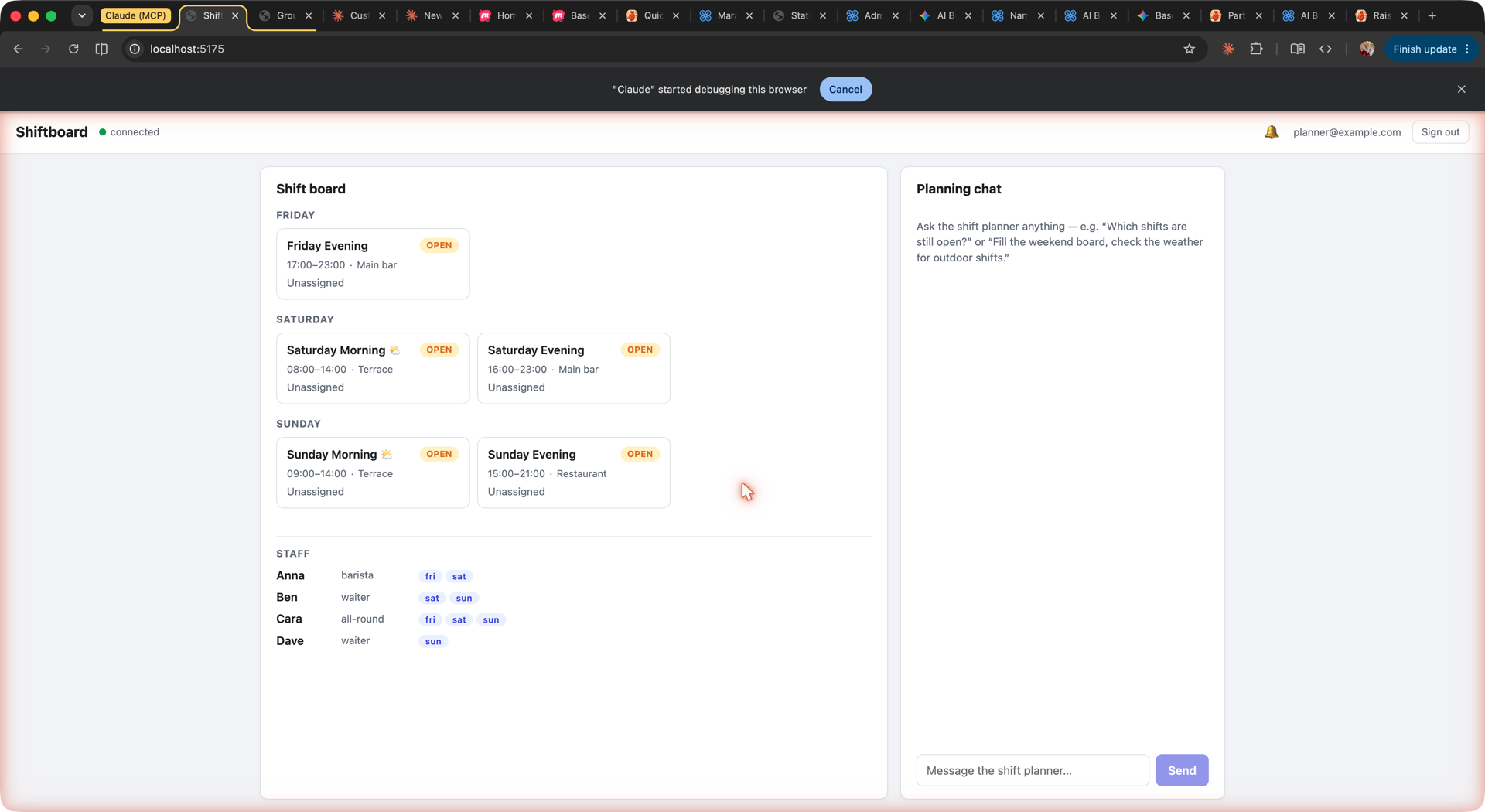 The shift board with the planning chat. Both render from the same nodes.
The agent is a node
The shift-planner is a raisin:AIAgent node, installed by the package at /agents/shift-planner in the functions workspace. Trimmed from package/content/functions/agents/shift-planner/.node.yaml:
node_type: raisin:AIAgent
properties:
  title: Shift Planner
  system_prompt: |-
    You are the shift planning assistant for a small cafe. You help the
    manager fill the weekend shift board, and you coordinate with staff
    directly over chat.

    You have tools to list shifts, list staff (role, availability, email),
    assign or clear shift assignments, check the weather for outdoor
    shifts, and send a chat message to a person by email (message-staff).
    # ... coordination protocol, see Part 4 ...
  provider: groq
  model: llama-3.3-70b-versatile
  temperature: 0.2
  max_tokens: 1024
  task_creation_enabled: false
  execution_mode: automatic
  execution_context: system
  tools:
    - /lib/shiftboard/list-shifts
    - /lib/shiftboard/list-staff
    - /lib/shiftboard/assign-shift
    - /lib/shiftboard/message-staff
    - /lib/shiftboard/start-shift-fill
    - /lib/raisin/ai/weather
  rules:
    - Never assign a staff member to a day they are not available on.
tools is a list of function node paths. Five are shipped by this package; /lib/raisin/ai/weather comes from the builtin ai-tools package. Tools compose across packages.
The agent also has a home folder in the ai workspace (package/content/ai/agents/shift-planner/) with inbox, outbox, memory and sent subfolders. The folder's agent_ref points back at the agent node, and its user_id (agent:shift-planner) is the identity the agent uses in conversations. The messaging pipeline delivers chat messages into inbox/chats/<conversation> there, and the agent's replies leave through outbox.
A tool is a raisin:Function with an input schema
Each tool is a function node whose input_schema (JSON Schema) becomes the tool definition the model sees. list-shifts/.node.yaml, trimmed:
node_type: raisin:Function
properties:
  name: list-shifts
  description: >
    List the shifts on the staffing board with day, time, location, whether
    the spot is outdoor, status (open/filled) and current assignee.
  language: javascript
  execution_mode: async
  entry_file: index.js:handler
  input_schema:
    type: object
    additionalProperties: false
    properties:
      day:
        type: string
        enum: [friday, saturday, sunday]
      status:
        type: string
        enum: [open, filled]
The implementation is the sibling index.js. Here is assign-shift, the tool that changes the board:
async function handler(input) {
  const { shift_path, staff_name } = input || {};
  if (!shift_path || !shift_path.startsWith('/shifts/')) {
    throw new Error('shift_path is required and must start with /shifts/, got: ' + shift_path);
  }

  // raisin.sql.query returns the row array directly in the function runtime
  const existing = await raisin.sql.query(
    "SELECT path, properties FROM 'staffing' WHERE path = $1",
    [shift_path],
  );
  const row = existing[0];
  if (!row) {
    throw new Error('shift not found: ' + shift_path);
  }

  const props = row.properties || {};
  const assignee = staff_name && String(staff_name).trim() ? String(staff_name).trim() : null;
  props.assignee = assignee;
  props.status = assignee ? 'filled' : 'open';

  await raisin.sql.execute(
    "UPDATE 'staffing' SET properties = $1::jsonb WHERE path = $2",
    [JSON.stringify(props), shift_path],
  );

  console.log('[assign-shift]', shift_path, '->', assignee || '(cleared)');
  return { shift_path, assignee, status: props.status };
}
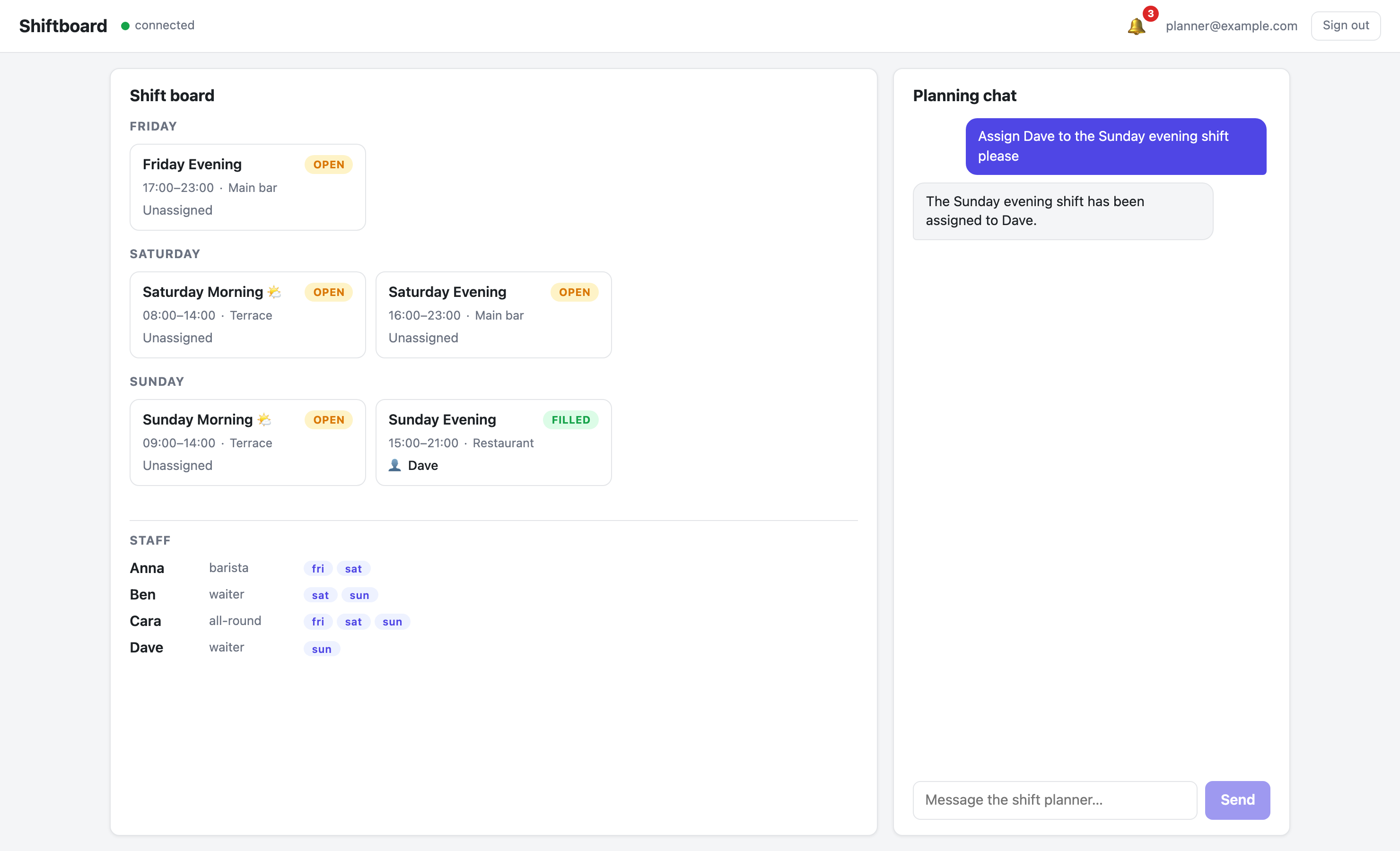 Tool-call badges stream into the chat while functions run; the board card flashes when the node updates.
In the function runtime, raisin.sql.query(...) returns the row array directly. In the client SDK, db.executeSql(...) returns a SqlResult with a rows array. The same SQL string, two shapes: rows[0] in a function, result.rows?.[0] in the browser or Node client. Every tool in this example carries a comment to that effect.
Run a tool without a model
Tools are ordinary functions, so you can invoke them directly. The example's tools declare execution_mode: async, which means an HTTP invoke queues a job and returns immediately; the result is on the execution record:
curl -s -X POST http://localhost:8081/api/functions/shiftboard/list-shifts/invoke \
  -H "Authorization: Bearer $RAISINDB_TOKEN" -H 'content-type: application/json' \
  -d '{"input":{"status":"open"}}'
{"execution_id":"4qBoF1zXKIdH_RNGvJbYh","sync":false,"job_id":"XcD2AcRlGrv_1ascBNYzy","status":"scheduled","completed":false}
curl -s http://localhost:8081/api/functions/shiftboard/list-shifts/executions/4qBoF1zXKIdH_RNGvJbYh \
  -H "Authorization: Bearer $RAISINDB_TOKEN"
{
  "execution_id": "4qBoF1zXKIdH_RNGvJbYh",
  "function_path": "/lib/shiftboard/list-shifts",
  "status": "completed",
  "duration_ms": 16,
  "result": {
    "success": true,
    "result": {
      "shifts": [
        { "path": "/shifts/fri-evening", "title": "Friday Evening", "day": "friday",
          "start": "17:00", "end": "23:00", "location": "Main bar",
          "outdoor": false, "status": "open", "assignee": null },
        { "...": "..." }
      ]
    },
    "logs": ["[info] [list-shifts] returning 4 shifts"]
  }
}
The function's console.log output lands in logs. A function with execution_mode: sync or both can be invoked with "sync": true and returns the result in the same response.
Token accounting
Every model call the agent makes is recorded as a raisin:AICostRecord node under the agent-side conversation in the ai workspace. The smoke test (smoke.mjs) checks it with an admin session, because row-level security hides the agent's side of the conversation from regular users:
const costRows = await adminDb.executeSql(
  `SELECT path, properties FROM 'ai'
   WHERE DESCENDANT_OF($1) AND node_type = 'raisin:AICostRecord'`,
  [agentConv],   // /agents/shift-planner/inbox/chats/<conversation>
);
let inputTokens = 0, outputTokens = 0;
for (const row of costRows.rows ?? []) {
  inputTokens += row.properties?.input_tokens ?? 0;
  outputTokens += row.properties?.output_tokens ?? 0;
}
Cost records carry input_tokens, output_tokens, and model, so a usage dashboard is one SQL query away. The agent-handler also keeps a running total_tokens_used on the conversation node.
Long conversations are kept in budget by four optional properties on the agent node. The shipped package leaves them commented out in shift-planner/.node.yaml; uncomment them to enable:
node_type: raisin:AIAgent
properties:
  provider: groq
  model: llama-3.3-70b-versatile
  # ... system_prompt, tools ...

  # Token safeguards (all optional)
  auto_compact: true               # summarize old turns automatically
  compact_threshold_messages: 30   # when to compact
  max_history_messages: 50         # hard window for the prompt
  max_conversation_tokens: 50000   # hard budget per conversation
When a conversation crosses compact_threshold_messages, the agent-handler summarizes older messages with one extra model call into a persisted raisin:AICompaction node under the conversation, and builds later prompts from the summary plus the recent messages. When total_tokens_used reaches max_conversation_tokens, the handler answers without calling the model:
This conversation has reached its token budget (51203 used / 50000 limit). Please start a new conversation.
The repeatable proof for both behaviors is npm run compaction-test in the example. It temporarily sets a threshold of 6 messages and a budget of 100 tokens on the agent, asserts the compaction node exists and that an early fact survives it, and restores the agent afterwards.
Try it headlessly
smoke.mjs proves the whole pipeline without a browser (costs a few Groq tokens):
cd examples/shiftboard
npm install
npm run smoke
It sends two chat turns over the SDK, asserts the assistant streamed a reply, asserts /shifts/sat-evening was really updated (assignee includes "ben", status: filled), and asserts cost records exist. It targets repo shiftboard on ws://localhost:8081 by default; RAISIN_WS_URL, RAISIN_REPO, RAISIN_USER and RAISIN_PASSWORD override that.
Next: Part 3: A real app: SSR, live board, inbox notifications