Part 4: The Agent Coordinates Your Staff
What you'll have at the end of this part: the agent filling a shift by negotiating. It messages staff members in their own chats, handles a decline by asking the next candidate, assigns only after a confirmation, and reports back to the manager. You will also see where chat-only coordination reaches its limit, which motivates Part 5.
Register the staff accounts if you haven't (Part 1 style):
raisindb user register anna@example.com --password 'Staff12345!' \
  --display-name Anna --repo shiftboard --exists-ok
raisindb user register cara@example.com --password 'Staff12345!' \
  --display-name Cara --repo shiftboard --exists-ok
Staff are real users with their own logins. The staff nodes in staffing carry an email property, and list-staff reports reachable: true for anyone whose email belongs to a registered identity user. That is how the agent connects board staff to chat addresses.
The scenario
- The manager writes: "Please fill the Saturday morning shift. Ask the staff via chat first. Only assign someone who confirms."
- The agent checks the board (
list-shifts,list-staff), picks one available and reachable candidate, and messages her viamessage-staff. Then it tells the manager who it asked. - Anna declines in her own chat session. Her reply lands in the agent's inbox thread and re-triggers it: it asks the next candidate, mentioning that Anna declined.
- Cara accepts. The agent runs
assign-shift(the board card fills live) and sends the manager a confirmation.
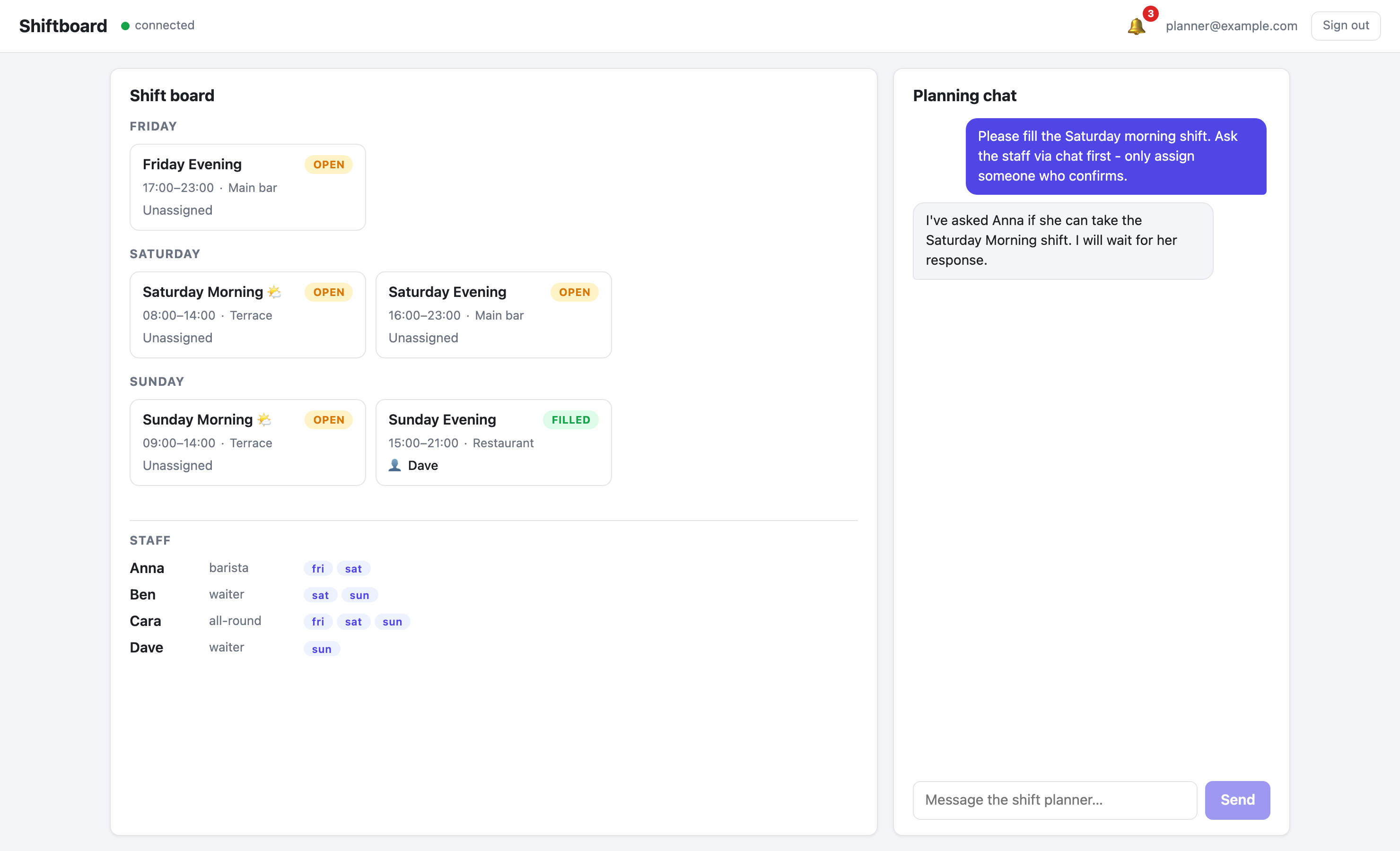 The manager's ask. The agent reports which candidate it contacted instead of assigning blindly.
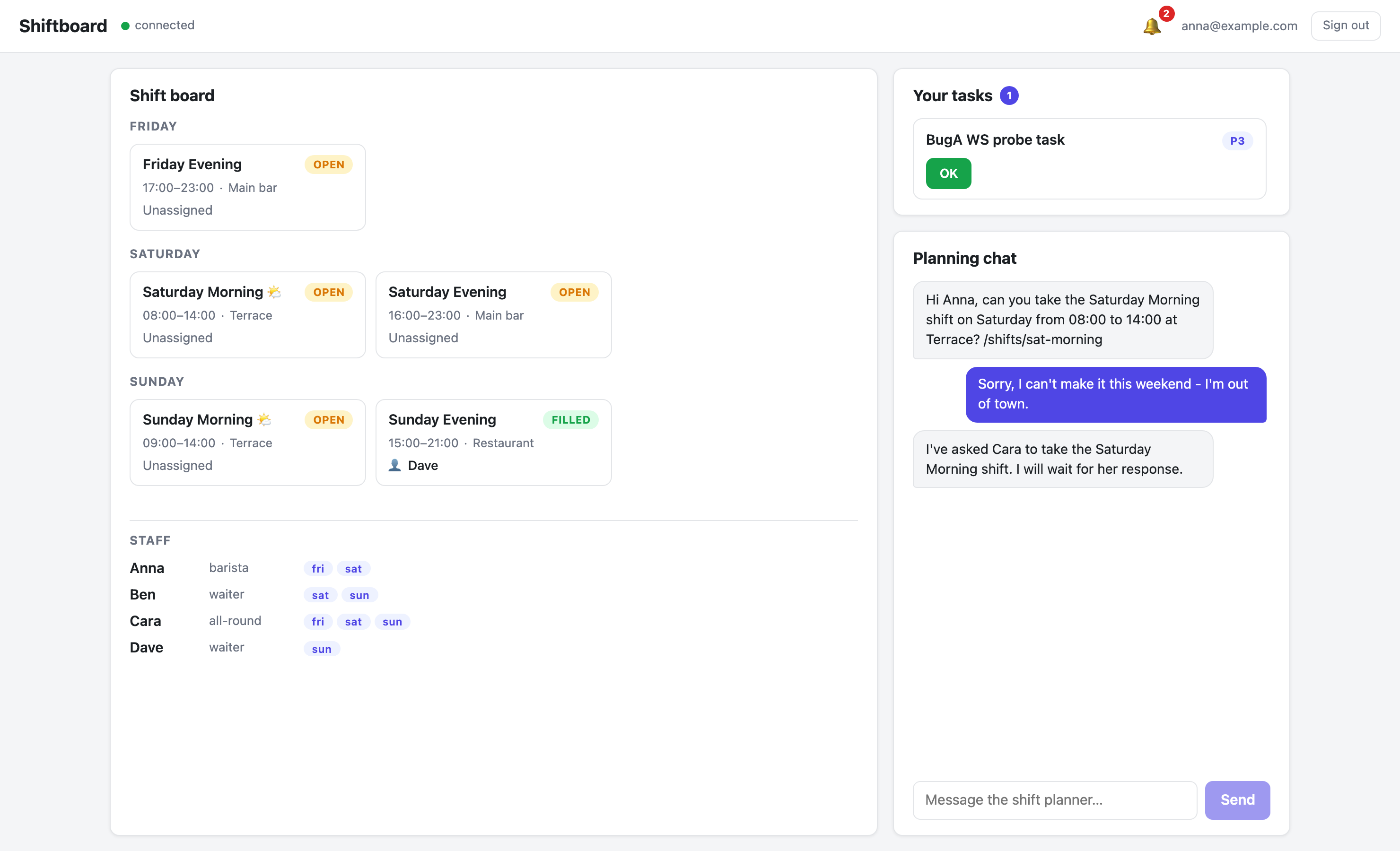 Anna's own chat session: the agent's request includes the shift title, time, location, and node path.
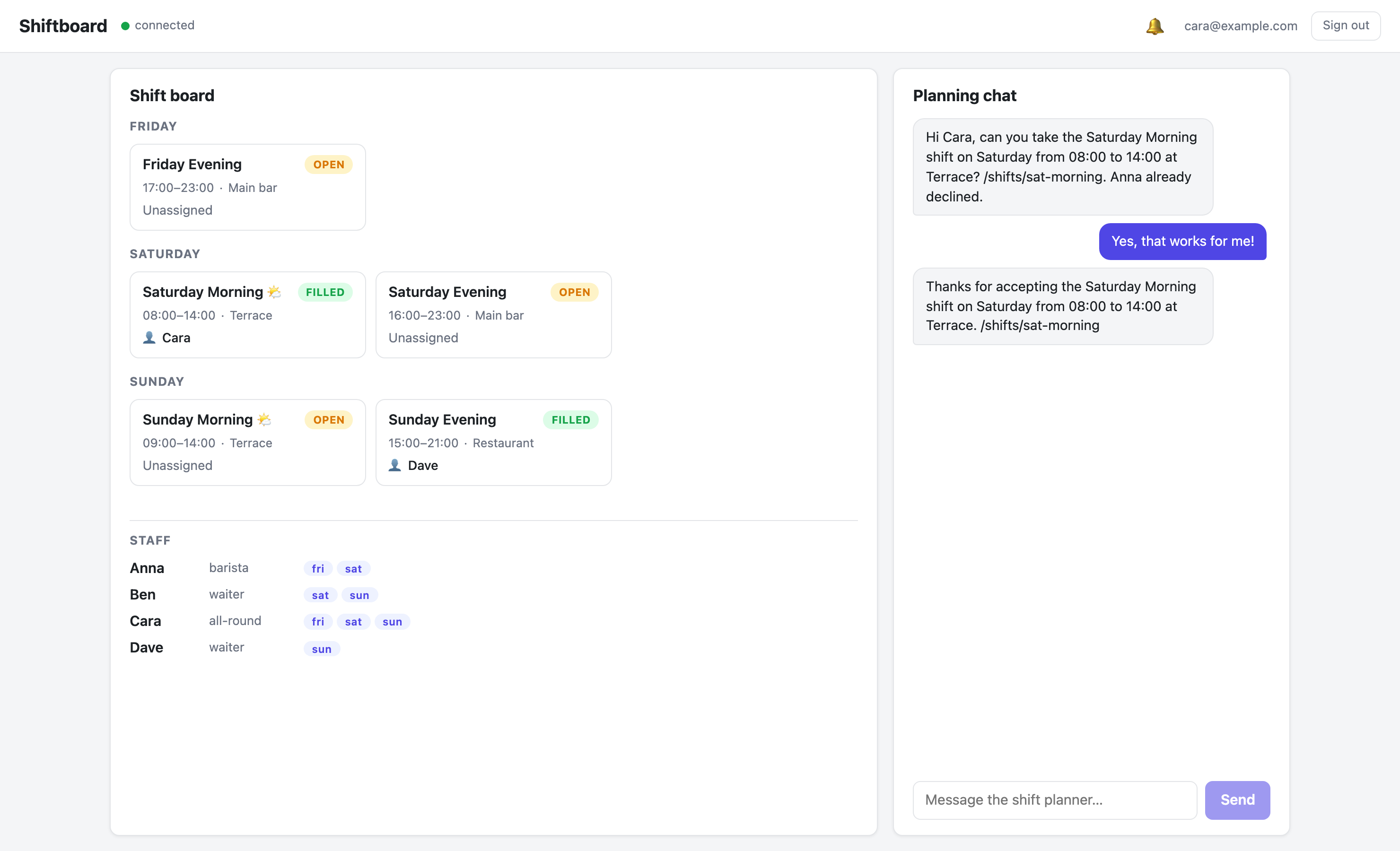 Cara accepts; the agent assigns the shift and the manager's board card fills live.
How message-staff works
The tool resolves the recipient by email, then drops a raisin:Message node into the agent's outbox in the ai workspace. The builtin messaging pipeline delivers it into the recipient's inbox conversation, creating the conversation if needed. When the person replies, the reply is delivered into the agent's inbox and the agent runs again in that thread. Trimmed from message-staff/index.js:
async function handler(input) {
  const { staff_email, message } = input || {};
  const ctx = (input && input.__raisin_context) || {};   // injected by the agent-handler
  const agentName = ctx.agent_name || 'shift-planner';
  const agentHomePath = '/agents/' + agentName;

  // 1. Resolve the recipient user by email in the access-control workspace.
  const users = await raisin.sql.query(
    "SELECT id, path, properties FROM 'raisin:access_control' " +
      "WHERE node_type = 'raisin:User' AND properties->>'email'::String = $1 LIMIT 1",
    [staff_email],
  );
  if (!users.length) {
    // Graceful error so the agent can pick another candidate instead of failing
    return { error: 'No chat user found with email ' + staff_email + ' ...' };
  }
  const userId = users[0].id;

  // 2. Agent identity from its home folder in the `ai` workspace.
  const home = await raisin.nodes.get('ai', agentHomePath);
  const agentUserId = home.properties.user_id || 'agent:' + agentName;

  // 3. Reuse the conversation this turn runs in if the recipient is a
  //    participant, else the most recent agent<->user thread, else a new id.
  let conversationId = /* ... */ || 'chat-' + (await raisin.crypto.uuid());

  // 4. Drop the message into the agent's outbox. The messaging trigger
  //    delivers it to the user and mirrors it into both conversations.
  const slug = 'msg-' + Date.now() + '-' + Math.floor(Math.random() * 100000);
  await raisin.nodes.create('ai', agentHomePath + '/outbox', {
    slug, name: slug,
    node_type: 'raisin:Message',
    properties: {
      role: 'assistant',
      message_type: 'chat',
      status: 'pending',
      sender_id: agentUserId,
      sender_path: agentHomePath,
      recipient_id: userId,
      recipient_path: users[0].path,
      body: { message_text: message, content: message, thread_id: conversationId, ... },
      conversation_id: conversationId,
    },
  });

  return { delivered_to: staff_email, conversation_id: conversationId };
}
Two details matter. The __raisin_context the agent-handler injects tells the tool which agent is running and in which conversation, so a confirmation to the manager lands in the thread the manager asked in. And the { error: ... } return instead of a throw lets the agent read the problem and pick another candidate, instead of the whole turn failing.
Each thread must be self-sufficient
A staff member's reply arrives hours later in their thread, with none of the manager-thread context. The system prompt asks the agent to carry the state in the messages themselves:
4. Restate which shift you are talking about (title, day, time, shift
   path) in every message you send, so each thread keeps its context.
That is why Anna's message contains "the Saturday Morning shift, 08:00-14:00, Terrace, /shifts/sat-morning", and why the follow-up to Cara mentions which colleague already declined. The thread is the state.
The limit of chat-only coordination
During development, the manager asked a harmless status question ("how does the board look?") and the agent, seeing an earlier "fill this shift" instruction in one thread but unaware a staff member had confirmed in another, reassigned a filled shift. Each conversation only sees itself.
The fix was a protocol rule in the system prompt:
- A shift that is already filled stays as it is - never reassign or
  overwrite an existing assignee unless the manager explicitly asks
  you to change it. For status questions, report the live board state
  from list-shifts; do not take any action.
That works, but notice what it is: a prompt defending against a state problem. The coordination state (who was asked, who declined, what is pending) lives only in model context windows scattered across threads. Part 5 moves that state into a durable workflow engine with explicit steps, deadlines, and an audit trail.
Prove it headlessly
negotiation-test.mjs scripts exactly this scenario with three separate SDK sessions (manager, Anna, Cara) and asserts every hop, including the final node state and the manager confirmation:
npm run negotiation-test # ~6 Groq turns; run sparingly
It is order-agnostic: it detects which staff member the agent asked first and replies accordingly. The first person asked declines, the second accepts, and the test asserts /shifts/sat-morning ends up filled by the accepter.