Part 6: The Planner: Plans and Workflows Composed
What you'll have at the end of this part: a second, plan-enabled agent that fills the whole weekend board in one request. It proposes a plan with one task per open shift, waits for the manager's approval, and then starts one durable fill-shift workflow (from Part 5) per task. The plan executes in seconds; the board fills asynchronously as staff accept their inbox tasks.
Parts 4 and 5 each solved one shift. The natural next request is "fill all open weekend shifts": five shifts, five workflows. You could prompt the chat agent to loop, but then the decomposition is invisible and ungated. You cannot see what it intends to do before it does it. The plan/task system addresses exactly that: the agent decomposes the request into a persisted, ordered task list, and an execution mode decides whether it runs immediately or waits for your approval.
This is the composition lesson of the tutorial: chat is the interface, plans are the gated intent, workflows are the durable process.
The coordinator agent
The Planner tab talks to a second agent, /agents/shift-coordinator (package/content/functions/agents/shift-coordinator/.node.yaml). Two properties turn on planning, and the builtin planning tools join the app's own tools:
node_type: raisin:AIAgent
properties:
  title: Shift Coordinator
  provider: groq
  model: llama-3.3-70b-versatile
  task_creation_enabled: true        # may decompose work into a plan
  execution_mode: approve_then_auto  # plan waits for ONE approval, then runs
  tools:
    - /lib/shiftboard/list-shifts
    - /lib/shiftboard/list-staff
    - /lib/shiftboard/start-shift-fill   # Part 5's workflow starter
    - /lib/raisin/ai/create-plan         # builtin planning tools
    - /lib/raisin/ai/add-task
    - /lib/raisin/ai/update-task
    - /lib/raisin/ai/get-plan-status
With task_creation_enabled: true the agent can call create-plan, which persists a raisin:AIPlan node with raisin:AITask children, real nodes like everything else in this tutorial. execution_mode controls the gate:
| Mode | Behavior |
|---|---|
automatic | Plan executes immediately, no gate |
approve_then_auto | One approval, then all tasks run. What this part uses |
step_by_step | One task per "continue" signal |
manual | No automatic task execution |
In the three gated modes create-plan stores the plan with status pending_approval; in automatic it starts in_progress right away.
The system prompt does the domain wiring. The important excerpts:
When the manager asks to fill MULTIPLE shifts:
1. Call list-shifts with status "open" to get the open shifts.
2. Call create-plan with ONE task per open shift. Each task title
   MUST be the shift title followed by its path, e.g.
   "Fill Saturday Morning (/shifts/sat-morning)".
3. When executing a task: mark it in_progress with update-task,
   call start-shift-fill with that task's shift path, then mark
   the task completed with update-task.

Be honest about what "completed" means: completing a task means the
fill-shift WORKFLOW WAS STARTED for that shift - staff still have to
accept their inbox tasks before the shift is actually filled.

When the manager names a SINGLE specific shift, do NOT create a
plan - just call start-shift-fill directly.
Note the last rule: plans are for multi-step intent. A single-shift request does not pay the planning overhead; the agent calls the tool directly, exactly as in Part 5.
The full plan/task contract (modes, the SDK projection, approval handlers, building approval UIs) is documented in Agent Plans & Tools. This part shows it applied.
The Planner tab
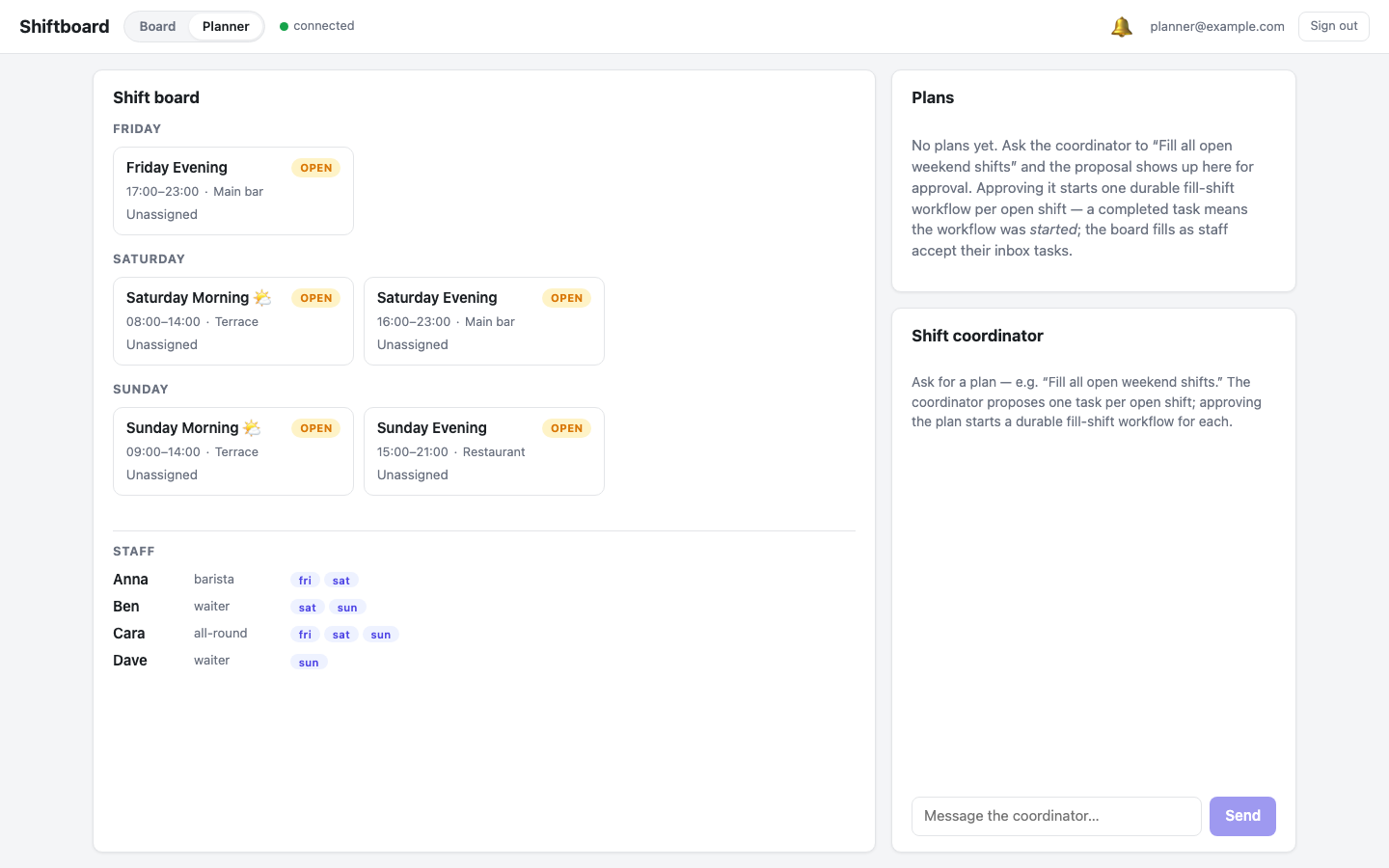
The frontend gains a Board | Planner toggle in the header. The Planner view keeps the shift board visible on the left, because the payoff of this part is watching the board fill, and swaps the right column for a plan panel and a chat with the coordinator. It is a second, independent conversation: the Board tab's chat with /agents/shift-planner is untouched.
Ask for a plan
The manager types one sentence: "Fill all open weekend shifts."
The coordinator calls list-shifts, finds five open shifts, and calls create-plan with five tasks. Because the agent runs in approve_then_auto, the plan is persisted in status pending_approval and the turn parks. Nothing executes yet. The proposal renders as a card:
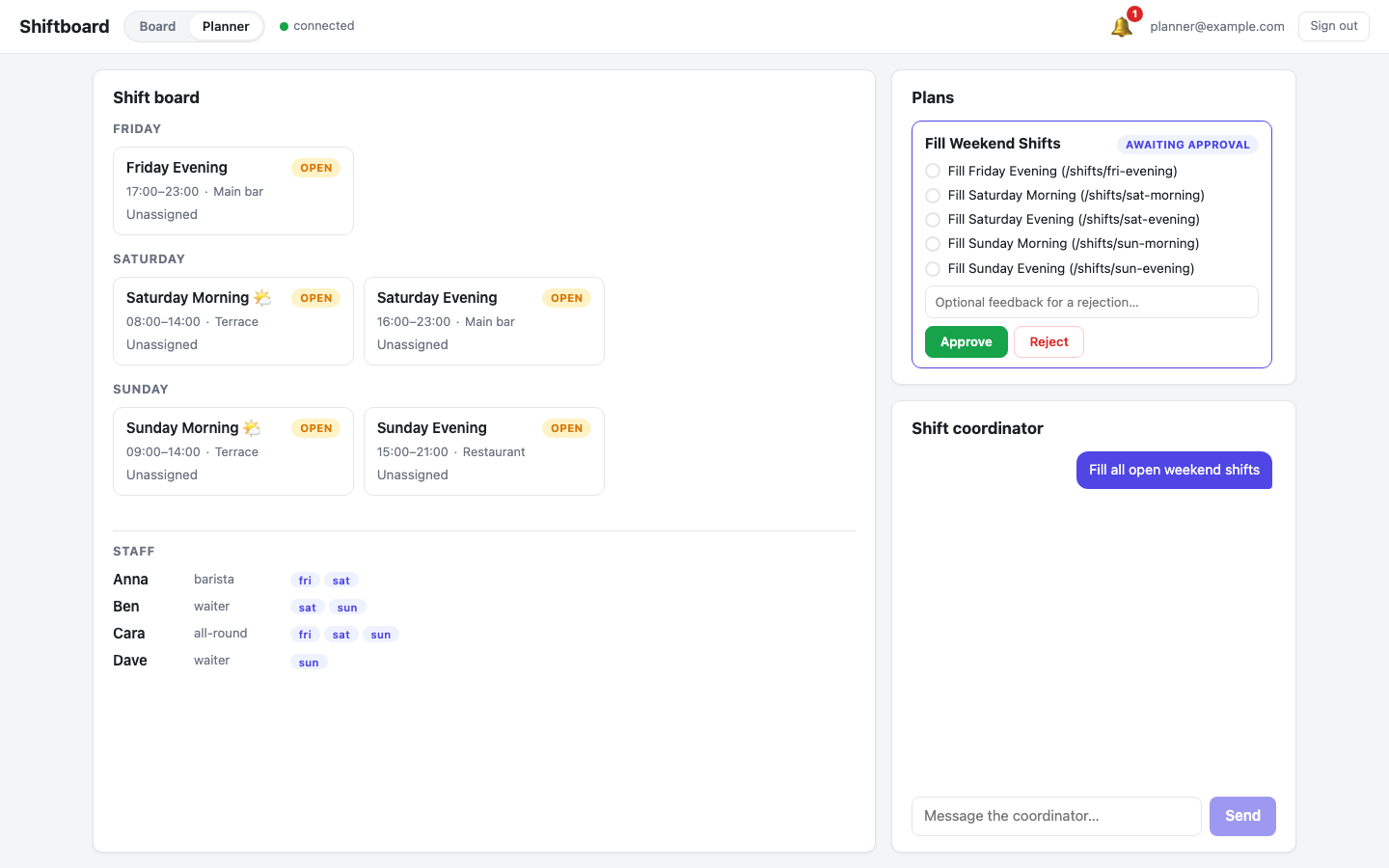
One task per open shift, in board order, each titled with the shift and its node path. The client side is small because the SDK does the bookkeeping: ConversationStore projects plan and task state from the conversation's ai_plan / ai_task_update messages into a deterministic plans array, and resolving the gate is one call:
// PlanPanel.svelte (excerpt): plans come from the store snapshot
const plan = snapshot.plans.find((p) => p.status === 'pending_approval');

await store.approvePlan(plan.planPath);
// or:
await store.rejectPlan(plan.planPath, 'Skip Sunday, we are closed.');
Rejecting with feedback sends the text back to the agent, which revises the plan and proposes again.
Approve, and watch it execute
On Approve the agent works through the tasks in order. For each one it marks the task in_progress, calls start-shift-fill for that shift, and marks the task completed. The plan panel shows the live progression, and the chat shows the tool calls as they happen:
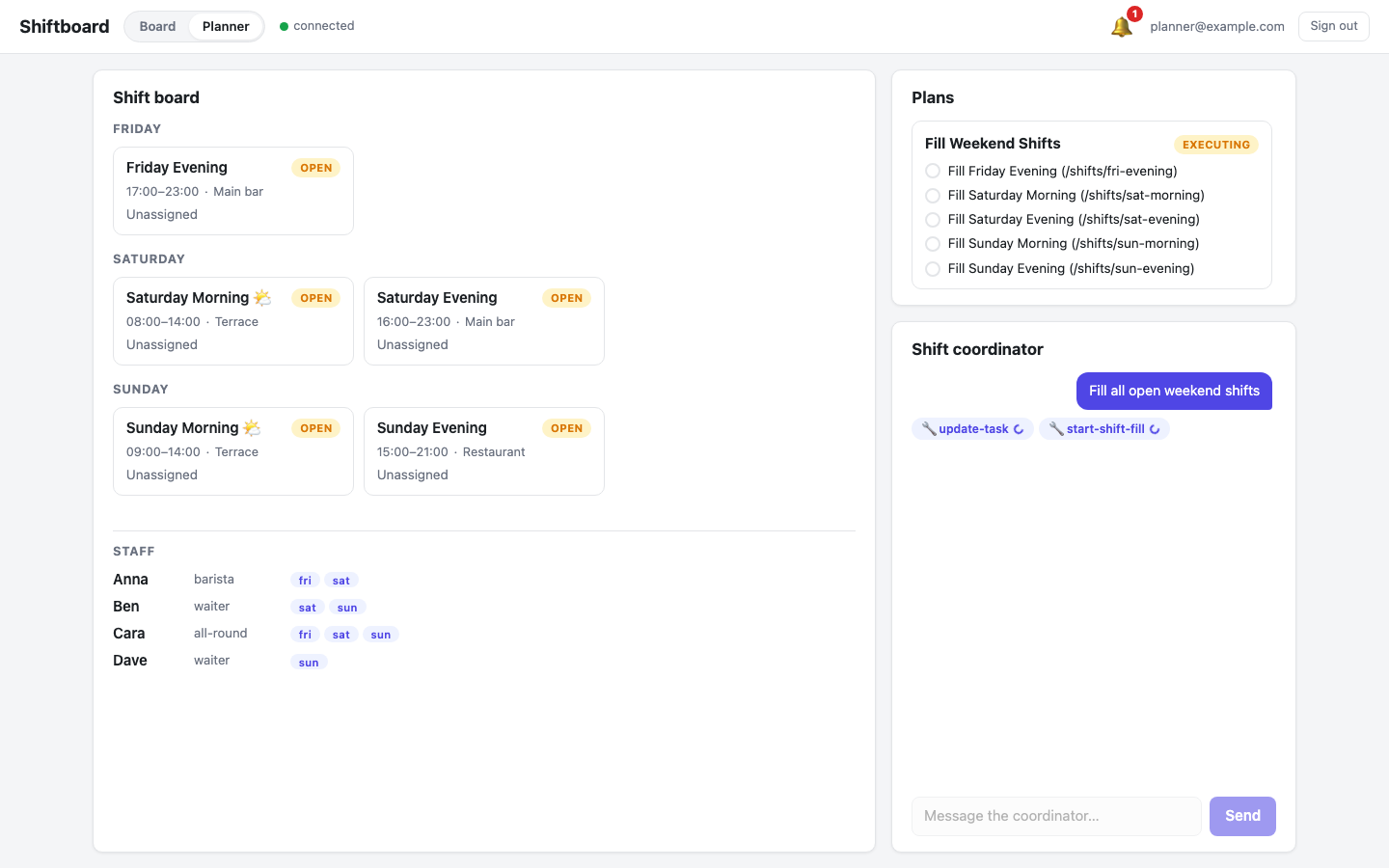
start-shift-fill is the same function the Board agent used in Part 5: raisin.flows.run('/flows/fill-shift', { shift_path }), fire-and-forget. Five tasks, five workflow instances, a few seconds total.
What "completed" means here
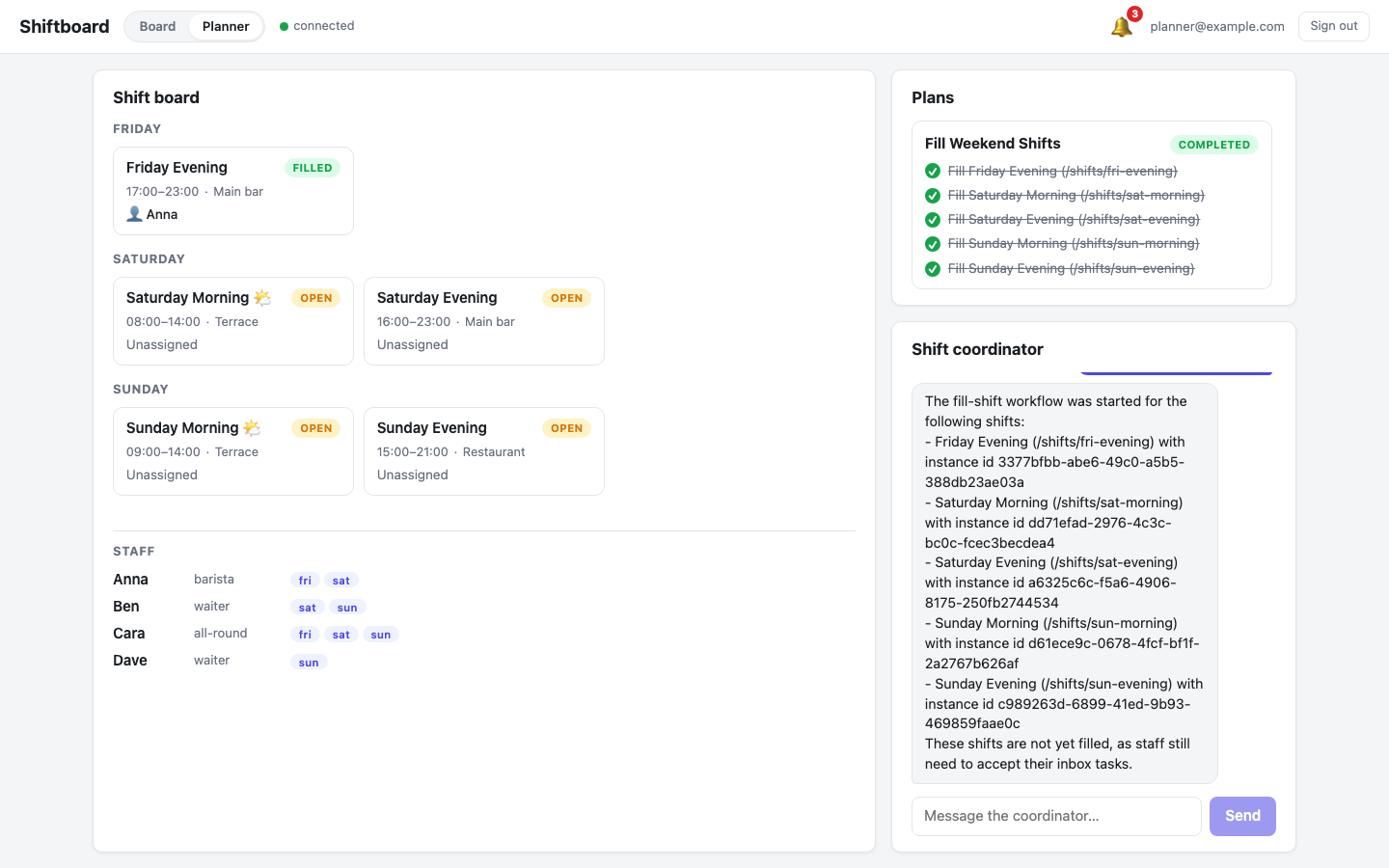
Look closely at the completed plan. Every task is checked off, but the board is still all-open:
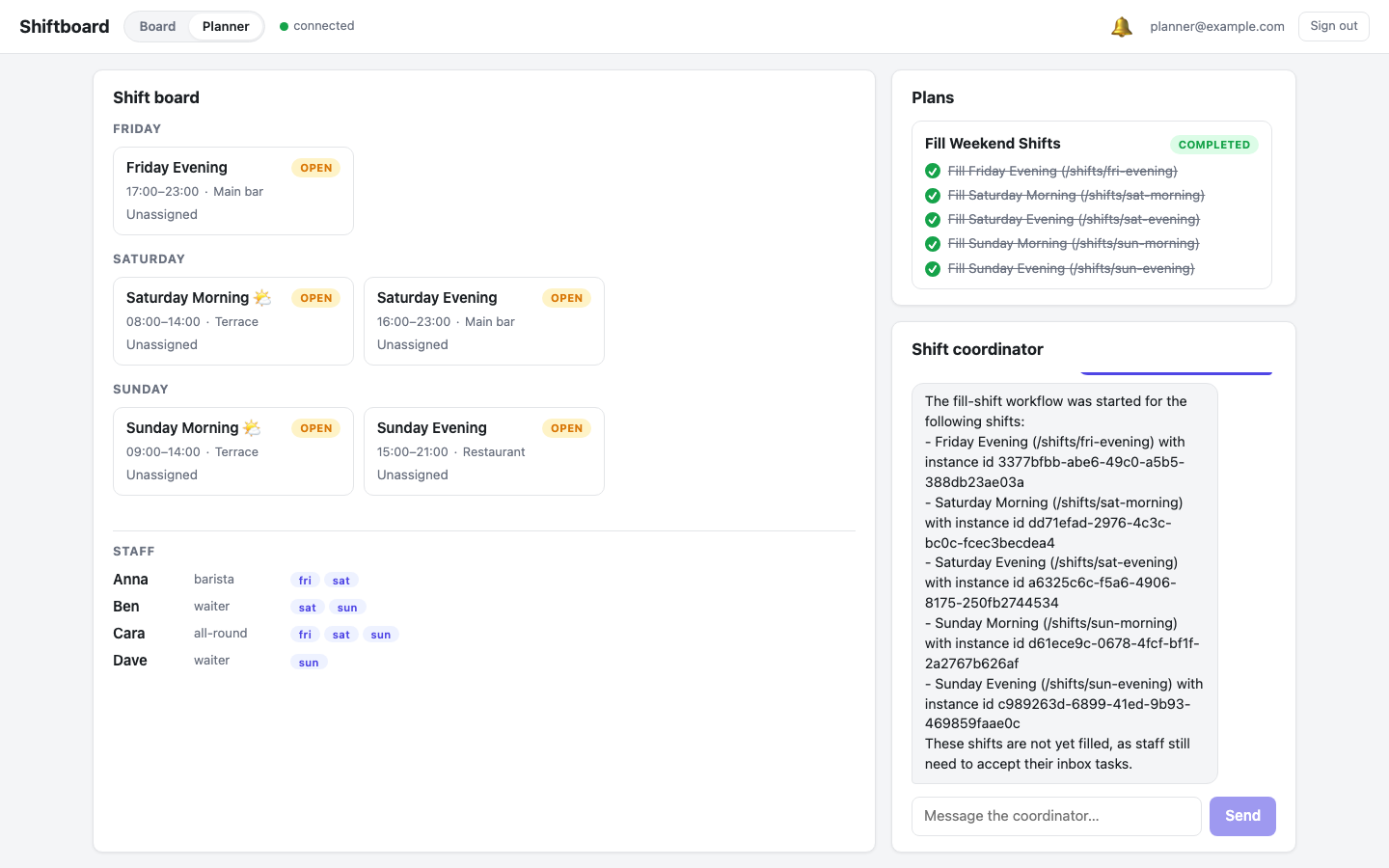
This is the most important design point of this part. A plan task flipping to completed means "the workflow for this shift was started", not "the shift is filled". The plan finishes in seconds; whether and when each shift actually fills is up to the staff answering the inbox tasks those workflows created. The agent's summary says exactly that ("These shifts are not yet filled, as staff still need to accept their inbox tasks") because its prompt asks for it. Without that rule, models tend to claim success they have not verified.
You could couple them tighter, so a task only completes when its flow completes. Then the agent and the plan would block on human response times, which is precisely what Part 5 built workflows to absorb. The loose seam is the design: plans gate and sequence intent in seconds; workflows own the slow, durable, human part.
The payoff: the board fills itself
Each workflow instance asks candidates one by one via inbox approval tasks, exactly the Part 5 machinery. Anna logs in and finds her tasks waiting:
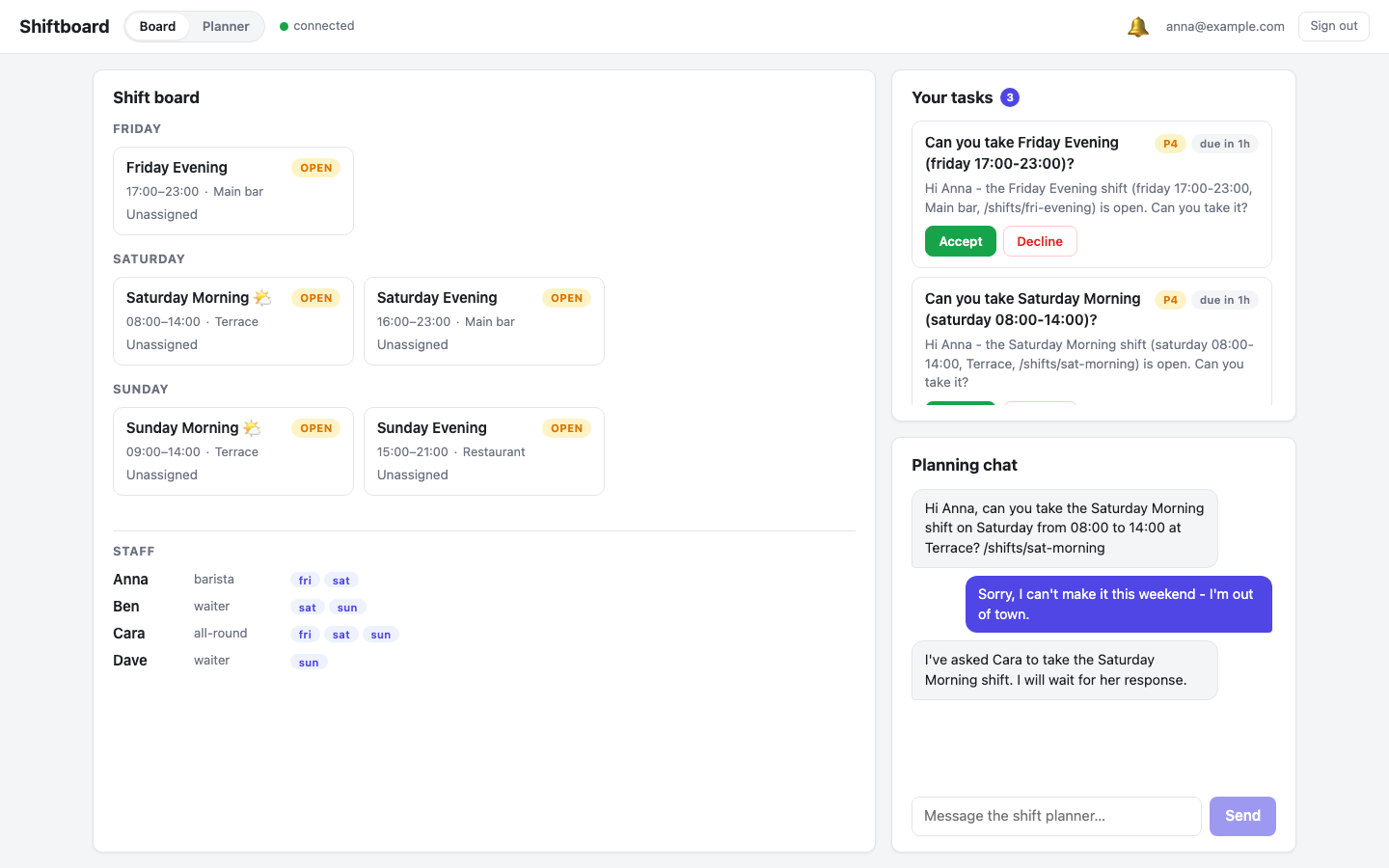
She accepts Friday Evening, the workflow assigns her and completes, and on the manager's still-open Planner page the card flips to FILLED · Anna live, via the same node subscription from Part 3. No refresh:
Two client-side timing details
Plan and task lifecycle messages are delivered into the conversation asynchronously. They are nodes being routed, not stream events. Two consequences show up in any real client, and frontend/src/lib/stores/planner.svelte.ts handles both with short reload polling (every 2 seconds):
- Proposal grace. The turn's
doneevent (finish reasonawaiting_plan_approval) can arrive before theai_plancard message lands in the conversation. If you treatdoneas "render final state", you briefly show an approval prompt for nothing. The fix: when the last finish reason isawaiting_plan_approvalbut theplansprojection has no pending plan yet, reload the conversation until the card appears (the store gives up after about 20 seconds). - Execution watch. After
approvePlan()the agent continues without any user message, so there is no stream attached to your next render. PollloadMessages()until the plan reaches a terminal status (completed,failedorcancelled), skipping fetches while a live stream is active.
Also filter ai_plan / ai_task_update messages out of the chat transcript (their content is just the task title; they belong in the plan panel) and out of toast notifications, or a five-task plan fires eleven toasts.
Prove it headlessly
planner-tab-check.mjs drives the whole story end to end through a real browser and the API: reset all five shifts to open, log in as the manager, send "Fill all open weekend shifts", assert the proposal has exactly one task per open shift, approve, assert all tasks complete while the board is still all-open, assert Anna and Cara hold the workflows' inbox tasks, accept one via the API, and assert that shift flips to filled on the live page. It restores the demo state afterwards and asserts the run stayed within 15 model calls.
npm run planner-tab-check
It needs the built frontend running (npm run build && npm run start in frontend/), a Groq key, and Playwright installed in PLAYWRIGHT_DIR (default /tmp/shots/node_modules).
Chat vs. plan vs. workflow
| Chat tool calls (Part 2/4) | Plan (Part 6) | Workflow (Part 5) | |
|---|---|---|---|
| Decomposition | Invisible, in the model's context | Visible, persisted task list | Modeled ahead of time |
| Approval gate | None | execution_mode (approve / step / manual) | Wherever you model one |
| Survives restarts | No | Plan/task nodes persist | Yes, engine-owned |
| Best at | Judgment, single actions | Gating multi-step intent | Slow, durable, human-paced process |
They stack: the manager speaks to a chat agent, the agent's intent is gated by a plan, and each approved step delegates the long-running human part to a workflow. Every layer is nodes, so every layer is queryable, subscribable, and auditable.
Where to go next
- Agent Plans & Tools: the full plan contract, all four execution modes, the SDK
plansprojection,approvePlan/rejectPlan, step-by-step continuation, and approval handlers. - Workflows overview and Human-in-the-loop: the engine underneath every plan task in this part.
- JavaScript Client reference:
ConversationStore, chat, flows, and the realtime inbox.
You now have the complete stack: nodes as the single source of truth, an agent that acts through functions, a UI that is just subscriptions, plans that make multi-step intent visible and gated, and a workflow engine for everything that must not be forgotten.